


Search Here
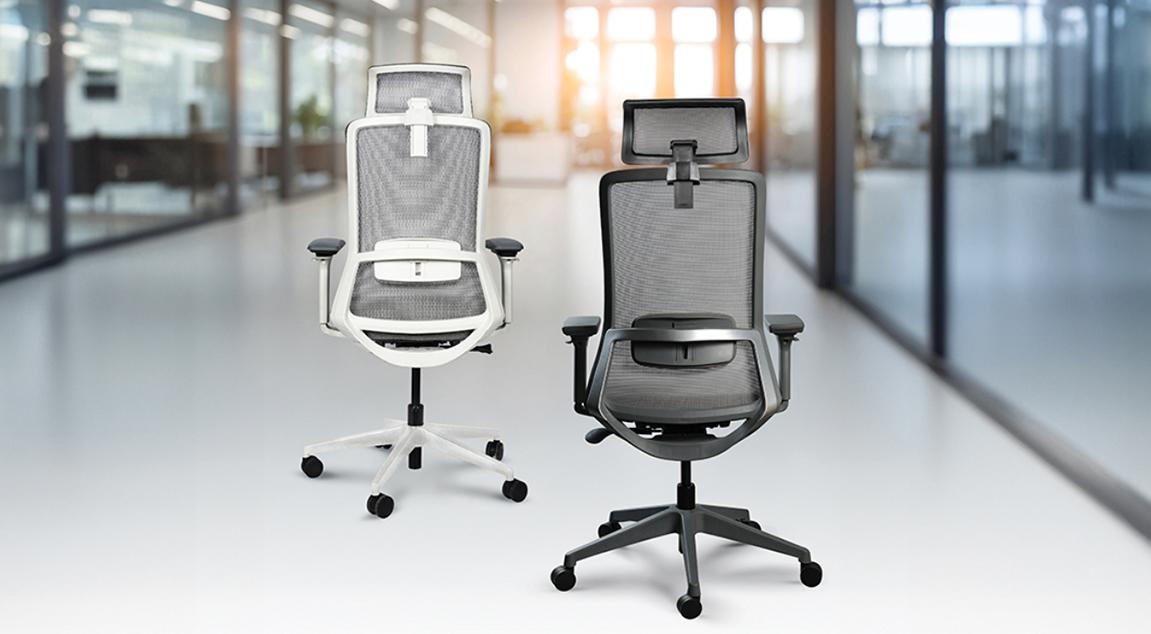
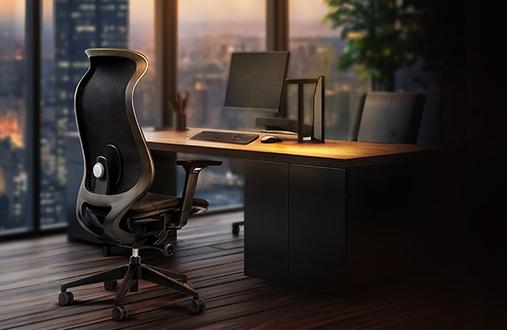
A workspace chair supports users through conference calls that stretch into lunch hours, deadline rushes that keep demand for more screen time, and those afternoon moments when fatigue sets in. It witnesses the focused lean-ins and exhausted slumps, silently affecting how the body feels by evening.
The connection between seating and wellbeing runs deeper than most realise. Well-designed ergonomic support works quietly, maintaining the body's natural alignment without constant adjustment. This guide walks users through practical ways to improve posture that fit seamlessly into the workday.
The spine naturally curves in an S-shape, providing shock absorption and flexibility. Modern workplace habits often compromise this alignment, leading to the musculoskeletal disorders that affect 7.30% of office workers. Understanding how the body needs support throughout the day becomes the first step toward lasting comfort.
When users slouch forward or lean awkwardly for extended periods, the spine compensates by redistributing weight unevenly. This creates pressure points along the back, shoulders, and neck. The muscles work overtime to maintain balance, leading to fatigue that compounds throughout the day. The forward head position many adopt while viewing screens places additional strain on cervical vertebrae.
Over time, these compensations become habits. The body adapts to poor positioning, making it feel temporarily comfortable even as it causes long-term strain. Breaking this cycle requires conscious adjustment of both the seating position and workspace setup.
Optimal ergonomic positioning follows specific guidelines that support the body's natural mechanics. The feet should rest firmly on the floor or footrest, with thighs parallel to the ground. The back should rest against the chair's backrest, with lumbar support matching the spine's natural curve. The arms remain parallel to the floor when typing, while the neck stays upright with eyes level with the monitor's top edge at arm's length.
This positioning distributes the body weight evenly, reducing pressure on any single area. The slight recline between 110 and 130 degrees allows the back muscles to share the load with the chair's support system, preventing the fatigue that comes from holding yourself upright all day.
A well-adjusted chair becomes an extension of the body's support system. The difference between basic seating and ergonomic design lies in adaptability—how the chair responds to a user's unique proportions and movement patterns throughout the day.
The lower back bears significant weight during seated work. Proper posture begins with lumbar support positioned at the spine's natural inward curve, typically just above the belt line. This support should feel present but not pushy, maintaining the spine's alignment without forcing an unnatural arch.
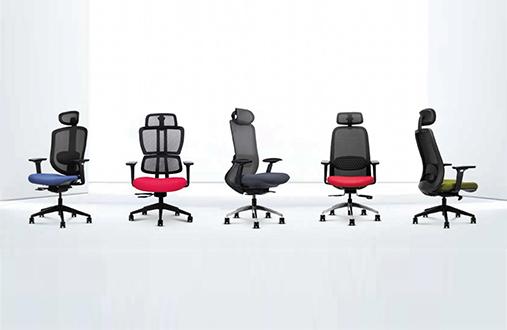
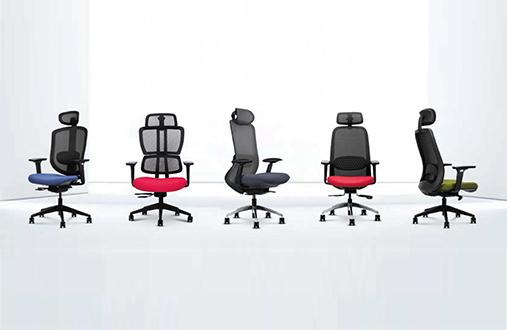
The Wipro Candid chair incorporates a height-adjustable lumbar system that moves vertically, accommodating the natural variations in spine curvature across different body types. This personalised fit prevents the gradual forward slouch that develops when lower back support is absent or misaligned.
The space between the seat's edge and the back of the knees affects both comfort and
circulation. Maintaining approximately 2-3 fingers of clearance prevents pressure on the thighs while ensuring full back support. A waterfall or rounded front edge distributes pressure across a larger area, improving blood flow to the lower legs.
|
Seat Feature |
Impact on Posture |
Adjustment Guide |
|---|---|---|
|
Seat Height |
Affects hip and knee angles |
Feet flat, thighs parallel to floor |
|
Seat Depth |
Determines back support usage |
3-inch gap behind knees |
|
Seat Tilt |
Influences pelvis position |
A slight forward tilt opens hip angle |
|
Edge Design |
Affects leg circulation |
A rounded edge reduces pressure points |
The screen setup directly influences head and neck positioning, areas where tension accumulates quickly during focused work. Creating the right visual ergonomics prevents the forward lean that disrupts the entire postural chain.
Monitor height determines whether users maintain a neutral neck position or develop the forward head posture common in desk workers. Position the screen so the top edge aligns with eye level when sitting comfortably upright. This placement allows the eyes to naturally rest on the screen's upper third during typical work.
For laptop users, this often means elevating the device on a stand and using an external keyboard. The investment in proper positioning pays dividends in reduced neck strain and improved focus throughout the workday. Multi-monitor setups require positioning the primary screen directly ahead, with secondary displays angled to minimise neck rotation.
The keyboard and mouse position influences the entire upper body alignment. Place these tools at elbow height, allowing the forearms to remain parallel to the floor with wrists in a neutral position. This setup prevents the shoulder elevation and forward reach that create tension across the upper back.
The distance between the keyboard and screen edge should allow the shoulders to relax naturally. Many professionals unknowingly place the keyboard too far forward, causing subtle but constant shoulder engagement that leads to fatigue and discomfort.
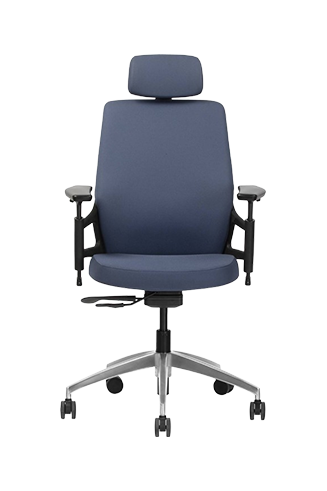
Adjustable armrests like the ones on the Wipro Absolute encourage proper posture by relieving neck and shoulder pressure while working. The added contours on the backrest and automatic weight-sensing mechanism enhance customisability and comfort further.
Static positioning, even in the most ergonomic setup, creates localised fatigue. The body thrives on movement, with research showing that scheduled microbreaks decrease musculoskeletal pain while improving work quality and productivity.
Movement breaks where users actively engage the muscles provide greater relief than simply resting in place. Dynamic breaks increase blood flow, reset muscle tension, and re-energise the nervous system. These active pauses can be as simple as standing and stretching or walking to refill the water bottle.
The effectiveness stems from movement's ability to redistribute fluids in the spinal discs, stretch contracted muscles, and activate underused muscle groups. Incorporating the 20-8-2 rule can be really helpful and keep users feeling fresh and energised.
Building movement into a workday requires intentional planning rather than relying on memory to move. Set subtle reminders that prompt movement at natural transition points—between tasks, before meetings, or when switching projects. These breaks need not disrupt productivity; they enhance it by maintaining physical and mental freshness throughout the day.
Effective movement break strategies include:
Standing up when taking phone calls
Walking to speak with colleagues instead of messaging
Using a water bottle that requires regular refills
Performing desk stretches during loading screens or processing time
Taking the longer route to the restroom or cafeteria
Specific movements can counteract the postural stresses of desk work when performed regularly. These exercises require no special equipment and fit seamlessly into the workday.
The postural reset technique provides immediate relief from forward slouching. Sit on the chair's edge with the feet flat on the floor. Elongate the spine by imagining a string pulling from the head's crown, then roll the shoulders back. Hold for 30 seconds, then release and repeat three times.
This simple movement realigns the spine, opens the chest, and activates the muscles that maintain proper posture. Regular practice throughout the day prevents the gradual forward collapse that develops during screen work.
Shoulder rolls effectively release upper body tension while improving circulation. Sit tall in the chair, then slowly roll the shoulders forward in circular motions five times before reversing direction. This movement increases blood flow to the upper body while releasing accumulated tension.
|
Movement Insight: Beyond Physical Relief Brief movement breaks offer cognitive benefits beyond physical comfort. Research shows they improve mental clarity, enhance focus, and boost creative problem-solving. The brain functions better when the body moves regularly. |
Sustainable postural improvement requires quality equipment that maintains its supportive properties over years of daily use. Understanding how certification standards protect the investment helps users make informed seating decisions.
BIFMA (Business and Institutional Furniture Manufacturers Association) standards represent the gold standard for commercial seating quality. Unlike basic weight ratings, BIFMA testing simulates years of aggressive use, ensuring chairs maintain their structural integrity and ergonomic function over time.
Professional-grade seating represents strategic cost avoidance rather than mere expense. Quality chairs reduce replacement cycles, minimise workers' compensation claims related to musculoskeletal disorders, and support a culture of wellness that improves employee retention.
The true cost of seating includes productivity losses from discomfort, healthcare expenses from poor ergonomics, and replacement costs from premature failure. Investing in certified, durable seating solutions provides returns through improved employee satisfaction, reduced sick days, and sustained productivity levels.
Creating lasting postural improvement combines thoughtful equipment choices with mindful daily habits. The ways to improve posture explored here work together, building a comprehensive approach to workplace wellness. From chair adjustments to movement breaks, each element contributes to overall comfort and health.
Quality seating forms the foundation, but users' active participation through regular movement and conscious positioning completes the picture. Explore Wipro's range of ergonomic office chairs designed to support this journey toward better posture and lasting workplace comfort.
1. How often should I adjust my chair to maintain proper posture?
Adjust your chair whenever you feel discomfort or at least weekly. Your body's needs change with fatigue levels, clothing thickness, and work tasks. Regular micro-adjustments ensure continuous support.
2. What are the most important ways to improve posture while working from home?
Focus on screen height, chair lumbar support, and regular movement breaks. Create a dedicated workspace that supports proper posture rather than working from beds or couches. Invest in basic ergonomic tools.
3. Can ergonomic chairs really reduce back pain?
Quality ergonomic chairs with proper adjustment significantly reduce back strain by supporting natural spinal curves. Combined with movement breaks and correct positioning, they help prevent pain development.
4. What's the ideal monitor distance for reducing neck strain?
Position your monitor at arm's length, approximately an arm's length away from your eyes. The top edge should align with eye level to maintain neutral neck positioning throughout your workday.
5. Which chair features matter most for all-day comfort?
Adjustable lumbar support, seat depth control, and breathable materials rank highest for sustained comfort. Armrest adjustability and synchronised tilt mechanisms also contribute to reducing postural stress.