


Search Here

|
Table of Contents
|
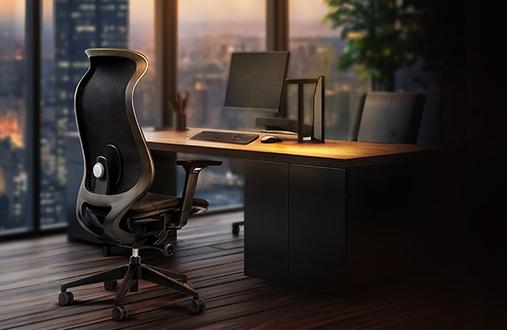
An office chair quietly carries a worker through video calls that stretch past lunch, deadline sprints that demand total focus, and those afternoon hours when the back starts speaking up. For the 34-51% (within 12 months) of professionals who experience chronic back pain, that daily companion often feels more like an adversary than an ally.
The relationship between seating and back health runs deeper than simple comfort. Research demonstrates that thoughtful chair design supports the spine's natural alignment, while poor seating gradually undermines the body's structural integrity. Below, the blog will explore what science reveals about ergonomic chair back pain solutions and how to make seating work for user wellbeing.
The effectiveness of ergonomic seating rests on fundamental biomechanical principles that support how a user's body naturally wants to sit. Modern research provides clear evidence about how proper chair design influences spinal health and daily comfort.
The lower back carries tremendous responsibility during seated work. When users sit, the spine naturally wants to maintain its S-shaped curve, but gravity and fatigue work against this alignment. Extended sitting flattens the lumbar curve, creating pressure on spinal discs and straining the surrounding muscles.
Quality lumbar support works by filling the gap between the lower back and the chair, maintaining the spine's natural lordotic curve. This support system distributes weight evenly across the back, reducing concentrated pressure points. Studies indicate that adjustable lumbar mechanisms allow users to match support to the unique spinal curvature, providing personalised comfort that adapts as users shift positions throughout the day.
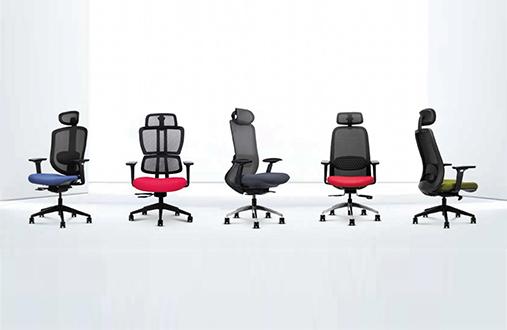
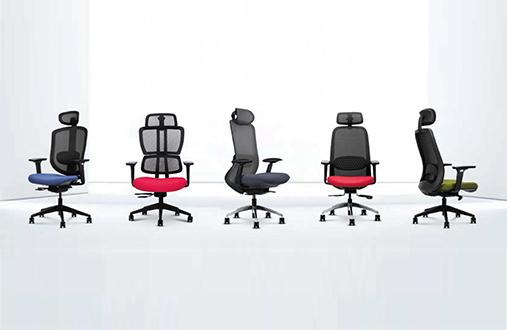
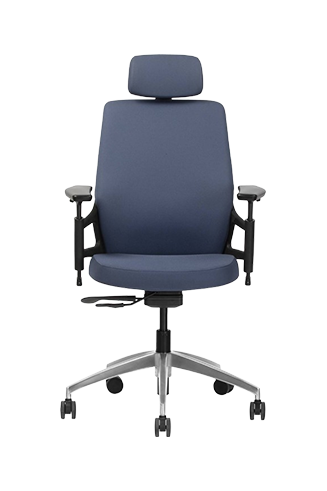
Modern ergonomic chairs increasingly incorporate these principles through adaptive lumbar systems, contoured backrests, and multiple adjustment points. Chairs such as the Wipro Absolute, for example, pair weight-responsive support with adjustable armrests and seat height to better accommodate different body types and working postures throughout the day.
Beyond immediate pain, poor seating creates cascading effects throughout the workday. Research from the UK reveals that back pain accounts for 4.2 million lost working days annually, with many employees experiencing regular discomfort. These statistics reflect only the measurable impacts—they don't capture the daily drain on focus, creativity, and job satisfaction.
The average professional sits for more than 70-85% of a day at the desk. When each of those hours involves subtle compensation for inadequate support, the body develops protective patterns that compound over time. Shoulder tension creeps upward, hip flexors tighten, and what started as minor discomfort evolves into chronic pain patterns requiring medical intervention.
True ergonomic design goes beyond marketing labels to address how bodies actually function during extended sitting. Understanding these distinctions helps users identify chairs that deliver genuine support versus cosmetic comfort.
An ergonomic office chair integrates multiple systems working together to support dynamic sitting. Height adjustment represents just the starting point—comprehensive ergonomic design includes coordinated features that adapt to a user's changing needs throughout the workday.
Essential Ergonomic Features That Work Together:
• Dynamic lumbar support: Adjusts both vertically and horizontally to match the spine position
• Synchronised tilt mechanism: Allows natural recline while maintaining support
• Adjustable armrests: Move in multiple directions to support varied tasks
• Seat depth adjustment: Accommodates different leg lengths and sitting preferences
• Breathable materials: Especially important for warm climates and long sitting sessions
The Wipro Aerosit exemplifies this integrated approach, where each adjustment works in harmony to support the user's body's natural movement patterns rather than forcing rigid postures.
The furniture industry uses certification standards to distinguish genuine ergonomic design from superficial imitations. BIFMA (Business and Institutional Furniture Manufacturers Association) certification represents the global benchmark for office seating quality.
|
Testing Category |
What BIFMA Evaluates |
Real-World Benefit |
|---|---|---|
|
Structural Integrity |
Simulates multiple years of daily use |
Chair maintains support without sagging or breaking |
|
Safety Standards |
Tests load capacity and stability |
Prevents tipping or component failure |
|
Ergonomic Compliance |
Verifies adjustability ranges |
Ensures chair fits diverse body types |
|
Durability Testing |
Evaluates mechanisms under stress |
Smooth operation after years of adjustment |
Certified chairs undergo testing that simulates a long term of intensive use, ensuring that the user's investment delivers consistent support well beyond typical warranty periods. This rigorous evaluation particularly matters in shared workspaces where chairs support multiple users with varying needs daily.
Scientific studies and workplace implementations provide compelling evidence for ergonomic seating's effectiveness in reducing ergonomic chair back pain and improving professional outcomes.
Multiple clinical studies demonstrate significant pain reduction when organisations implement quality ergonomic seating. A comprehensive workplace study involving 24 randomised controlled trials found that providing ergonomic chairs and proper training reduced back-pain-related sick days. In the United States alone, MSDs account for one-third of all workplace injuries, costing employers an estimated USD 50 billion annually in compensation and lost productivity.
The effectiveness varies based on three critical factors: chair quality, proper adjustment, and individual back conditions. Systematic reviews consistently support chair interventions for reducing the severity, intensity, and frequency of musculoskeletal pain among workers who sit for extended periods. Real-time posture monitoring systems have documented a 30% decrease in reported back and neck discomfort when employees use properly adjusted ergonomic seating.
The relationship between comfortable seating and workplace performance extends beyond pain prevention. Organisations report 20% productivity increases when employees experience less physical stress, translating to faster project completion and improved work quality.
|
Design Insight: The Comfort-Performance Link When the body doesn't have to compensate for poor support, the mental energy stays focused on the work at hand. Quality ergonomic seating removes physical distraction, allowing sustained concentration during complex tasks. |
Investment in ergonomic seating typically recovers costs quickly through reduced sick days and enhanced productivity alone. This return on investment doesn't account for harder-to-measure benefits like improved morale, better collaboration during long meetings, or reduced employee turnover.
Understanding how to properly adjust and use the chair maximises its potential for ergonomic chair back pain prevention and daily comfort.
Proper chair adjustment starts with understanding the body's needs during different work tasks. Each adjustment point serves a specific purpose in maintaining healthy alignment.
Priority Adjustment Sequence:
Seat height: Your feet rest flat with knees at 90-100 degrees.
Lumbar support: Fills the curve of your lower back without pushing
Seat depth: 2-3 finger widths between seat edge and back of knees
Armrests: Support elbows at 90 degrees without lifting shoulders
Backrest angle: Allows slight recline for pressure relief
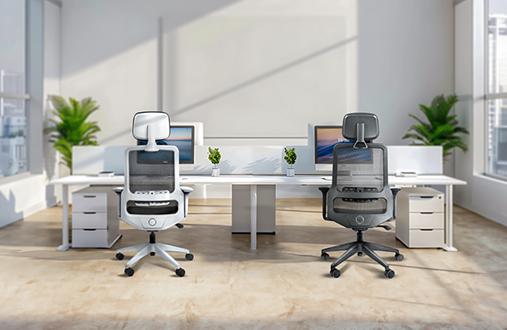
Professional spaces increasingly recognise that one-size-fits-all seating doesn't serve diverse teams. The Wipro Adapt Chair addresses this reality with features designed for various body types and work styles, ensuring everyone finds their optimal support configuration.
Even the most sophisticated ergonomic office chair requires active participation in a user's wellbeing. Research emphasises that no static position, regardless of ergonomic perfection, should be maintained for extended periods.
Movement breaks every 30 minutes prevent muscle fatigue and promote circulation. Simple strategies like walking to the water cooler, doing desk stretches, or shifting between sitting positions keep your body engaged. Training programmes increase ergonomic awareness but create lasting change only when combined with quality seating and movement habits.
Quick Movement Practices for Desk Workers:
• Stand during phone calls when possible
• Alternate between upright and reclined positions.
• Perform shoulder rolls between tasks
• Take walking meetings for informal discussions.
• Use lunch breaks for actual movement, not desk dining.
Quality ergonomic seating represents one of the most effective non-invasive investments for addressing sitting-related back pain. Clinical evidence consistently demonstrates significant pain reduction and productivity improvements when professionals use properly designed and adjusted chairs.
The journey to better workplace comfort starts with understanding that the chair should work as hard as the users do. Explore Wipro's ergonomic seating solutions to discover chairs engineered with daily wellbeing in mind, supporting users through every deadline, meeting, and moment of your professional day.
1. How quickly can an ergonomic chair reduce back pain?
A good ergonomic chair can ensure that no further discomfort/pain is experienced. But it cannot promise that the present pain will be reduced. Pain reduction can take place with a combination of many different things, like lifestyle choices, ergonomic furniture, etc.
2. What's the difference between ergonomic and regular office chairs?
Ergonomic office chairs feature adjustable lumbar support, multiple adjustment points, and designs based on biomechanical research. Regular chairs often lack customisation options and proper spinal support, which can lead to discomfort during extended use.
3. Can ergonomic chairs help with existing chronic back conditions?
While ergonomic chairs provide excellent support and can reduce pain, they work best as part of comprehensive back care. Consult healthcare providers for chronic conditions, using ergonomic seating as a supportive tool alongside medical guidance.
4. How do I know if my ergonomic chair is properly adjusted?
Proper adjustment feels immediately supportive without pressure points. The feet rest flat, the back feels supported, and the arms remain relaxed. If you experience numbness, tingling, or increasing discomfort, readjust systematically.
5. How often should I replace my ergonomic chair?
Well-maintained certified chairs last 5-7 years with daily use. Replace when mechanisms fail, cushioning compresses beyond comfort, or support systems no longer adjust properly despite maintenance.
6. What role does posture play alongside ergonomic seating?
Proper posture and ergonomic seating work together for optimal ergonomic chair back pain relief. The chair provides structural support while conscious posture habits ensure you utilise that support effectively throughout your workday.