


Search Here

Table of Contents
|
A typical Monday morning begins with employees starting work at their desks. Within a few hours, lower back discomfort often develops, accompanied by shoulder tightness and neck strain. As physical discomfort increases, concentration and productivity tend to decline. This pattern reflects a widespread issue—more than 60% of office workers experience the physical effects of improper seating posture on a daily basis.
The truth is, the body speaks to users throughout the day, signalling when something needs adjustment. Learning to interpret these signals and respond with the right postural corrections transforms a workday from a test of endurance into sustainable productivity. Understanding correct desk sitting posture means working with the body's natural design, not against it.
The spine tells a story of evolution—designed for movement, yet asked to remain still for hours. When workers understand how the body naturally wants to align itself, creating a comfortable and healthy sitting position becomes intuitive rather than forced.
By mid-afternoon on a typical workday, many employees have spent several hours in a forward-leaning posture, with elevated shoulders and a curved spine. This position can restrict lung capacity and reduce blood flow, contributing to cognitive fatigue later in the day. Poor sitting posture creates a cascade of physical effects, including compressed spinal discs, strained neck muscles, and reduced circulation, which can lead to decreased energy levels rather than sustained alertness.
Prolonged sitting in suboptimal postures has been shown to increase musculoskeletal strain and is strongly associated with neck, back, and shoulder discomfort among office workers. This common scenario happens when the chair height hasn't been adjusted to match the user's body's proportions. The result? The lower back works overtime to compensate, leading to fatigue and discomfort that builds throughout the day.
The spine naturally forms an S-curve—not the straight line many assume. The cervical region (neck) curves slightly forward, the thoracic region (mid-back) curves gently backward, and the lumbar region (lower back) curves forward again. Maintaining these natural curves while seated forms the foundation of ergonomic wellness.
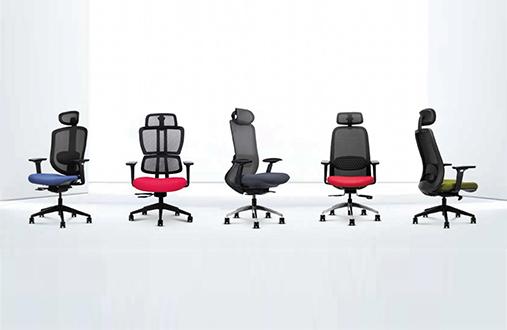
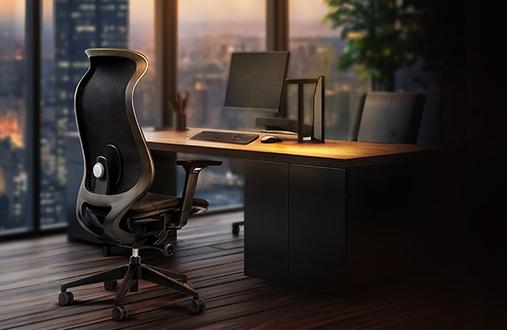
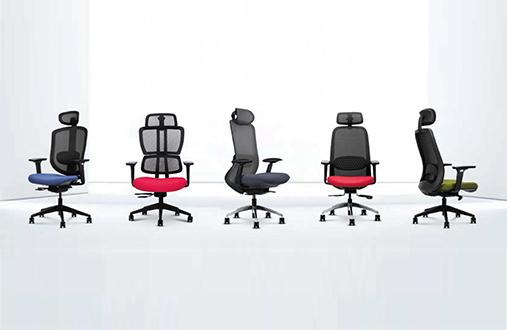
Chairs like the Wipro I'm Pro perfectly display this through the contoured backrest which is designed to accommodate this natural S-curve. Additionally, the automatic weight sensing mechanism helps ensure working pain-free for hours without losing focus.
Neutral posture means that the joints align naturally with minimal stress on muscles and tendons. Think of it as the body's sweet spot—where everything works in harmony. The hands, wrists, and forearms rest parallel to the floor; the head balances over the shoulders without jutting forward; and the thighs rest horizontally with feet firmly planted.
Creating the correct sitting position at desk spaces requires methodical adjustment, starting from the ground up. Each element builds upon the previous, creating a supportive framework that carries users through a workday with minimal strain.
The journey to proper posture begins where the body meets the ground. Stand in front of the chair and adjust its height so the seat top sits just below the kneecap. Once seated, both feet should rest flat on the floor with the knees bent at approximately 90 degrees.
This foundation matters because it sets everything else in motion. When the hips sit slightly higher than the knees, the pelvis tilts naturally forward, encouraging the spine to maintain its healthy curves. If the feet dangle or the knees rise above hip level, the entire postural chain suffers. Consider a footrest if the desk height prevents optimal chair positioning.
Seat depth should be set so there is a small gap between the front edge of the seat and the back of the knees. This helps prevent pressure on the area behind the knees and ensures the chair properly supports the body based on natural body measurements.
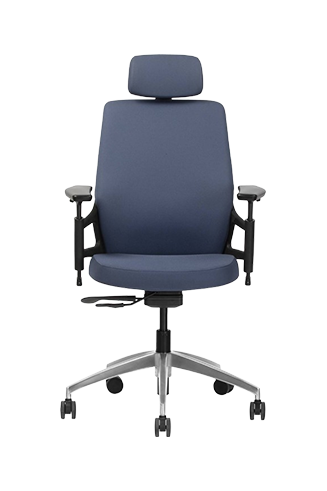
Too much seat depth forces users to perch on the edge, losing crucial back support. Too little creates pressure behind the knees, restricting blood flow and causing discomfort during those long report-writing sessions. Chairs like the Wipro Absolute exemplify this feature thanks to its seat-slide option along with other adjustable options like arms and headrests.
The lumbar spine bears significant load throughout the day, especially during focused work. Proper lumbar support fits into the spine's natural curve, typically sitting just above the belt line. This support prevents the lower spine from flattening—a primary cause of back pain among professionals.
Adjust the chair's lumbar support to fill the gap between the lower back and the seat back. Users should feel gentle pressure that maintains the spine's curve without pushing forward.
Once the foundational sitting position feels right, attention turns to how workspace elements interact with the body. These fine adjustments transform a basic setup into a personalised comfort zone that supports rather than strains.
Let the shoulders drop naturally, releasing any tension that is being carried. The arms should hang relaxed at the sides before bending the elbows to about 90 degrees. Armrests, when properly adjusted, barely kiss the underside of the elbows—supporting without lifting the shoulders into a shrug.
This relaxed position prevents the shoulder and neck tension that builds during typing marathons. The forearms remain parallel to the floor, wrists straight, creating a neutral pathway from shoulders to fingertips. When reaching for the keyboard, movement comes from the arms rather than stretching the shoulders forward.
The monitor holds a worker's attention for hours, making its position crucial for neck health. The top of the screen should sit at or slightly below eye level, positioned an arm's length away. This setup allows the eyes to naturally gaze slightly downward—the most comfortable viewing angle for extended periods.
Correct posture for sitting at computer workstations means that the neck stays neutral, neither craning upward nor dropping the chin to the chest. Laptop users face unique challenges here—consider a laptop stand and external keyboard to achieve proper screen height without compromising the arm position. Those afternoon video calls become less taxing when the setup supports natural head positioning.
The chair serves as the foundation for postural health, adapting to support the body's changing needs throughout the day. Quality ergonomic seating provides adjustable elements that match unique proportions, from seat height to backrest angle.
The best chairs encourage dynamic movement rather than locking users into one position. Unlock the backrest tilt and adjust the tension to support the body when sitting upright while allowing easy reclining during thinking moments.
Even with the best intentions, postural habits creep in throughout the day. Recognising these patterns helps users course-correct before discomfort sets in, maintaining energy and focus when they are needed the most.
That post-lunch slump hits differently when an user is already fighting poor posture. As digestion demands energy, the body naturally wants to relax—often leading to slouching that compresses your spine and restricts breathing. This creates a vicious cycle: poor posture reduces oxygen flow, increasing fatigue, which encourages more slouching.
Combat this tendency by setting a gentle reminder to check the posture after meals. Stand briefly, perform a few shoulder rolls, then consciously reset the sitting position. The afternoon's productivity depends as much on how users sit as on what they ate for lunch.
Poor posture costs more than momentary discomfort. Research shows employees prioritise comfort over aesthetic design when rating workplace satisfaction. Organisations investing in ergonomic solutions see reduced absenteeism and increased engagement—up to sixfold returns on investment.
Beyond organisational metrics, poor positioning affects cognitive performance. Restricted breathing and blood flow from hunched postures lead to reduced oxygenation and quicker fatigue onset. During strategic planning sessions or creative brainstorming, the posture directly impacts one's ability to think clearly and contribute meaningfully.
|
Posture Problem |
Immediate Effect |
Long-Term Impact |
Simple Solution |
|---|---|---|---|
|
Hunched shoulders |
Neck tension |
Chronic headaches |
Reset shoulders every hour |
|
Lower back unsupported |
Muscle fatigue |
Disc compression |
Adjust lumbar support |
|
Screen too low |
Forward head position |
Cervical spine strain |
Raise monitor height |
|
Feet dangling |
Poor circulation |
Leg discomfort |
Use footrest |
Static perfection isn't the goal—dynamic comfort is. The body thrives on movement and variety, making postural maintenance an active rather than passive process.
Movement matters as much as position. Research confirms that ergonomic interventions reduce musculoskeletal symptoms in office workers, with exercise and postural guidance showing benefits in less than 2 months. Simple movements woven throughout the day prevent the stiffness that builds from prolonged sitting.
Create movement opportunities within your workflow:
• Stand during phone calls or virtual meetings when possible.
• Perform desk stretches between tasks.
• Walk to a colleague's desk instead of messaging
• Use a timer to remind you to shift positions every 30-45 minutes.
• Take the stairs during chai breaks.
These micro-movements keep the muscles engaged and circulation flowing, preventing the fatigue that accumulates from static positioning.
The journey to correct desk-sitting posture reflects a partnership between the body's needs and the workspace setup. Like tuning an instrument, small adjustments create harmony that resonates throughout every workday. The goal isn't rigid perfection but fluid comfort that adapts as users move between focused work, collaborative discussions, and creative thinking.
Consider exploring Wipro's comprehensive seating solutions designed with postural health in mind. These ergonomic innovations support the natural movements and positions the body craves, turning everyday sitting into an opportunity for wellness rather than strain.
1. How often should I adjust my correct desk-sitting posture during the workday?
Check and adjust your posture every 30-45 minutes. Set gentle reminders to shift positions, perform mini-stretches, or stand briefly. The body benefits more from regular small adjustments than maintaining one "perfect" position all day.
2. What's the most important element for a correct sitting position at desk setups?
Proper seat height forms the foundation—feet flat on the floor, knees at 90 degrees, hips slightly above knees. This positioning allows the spine to maintain natural curves and supports all other postural elements effectively.
3. Can correct posture for sitting at computer work eliminate my back pain?
Proper posture significantly reduces strain and discomfort but isn't a cure-all. Combined with quality seating, regular movement, and ergonomic adjustments, good posture helps prevent pain. Persistent discomfort requires professional medical consultation.
4. How do I know if my chair properly supports correct desk sitting posture?
The chair should offer adjustable height, lumbar support, seat depth, and armrests. Users should feel supported without pressure points, maintain spine curves naturally, and move freely. Quality ergonomic chairs adapt to a user's proportions.
5. What's the biggest posture mistake people make at work?
Slouching forward with rounded shoulders ranks as most common. This position compresses the spine, restricts breathing, and strains neck muscles. Regular posture resets and proper screen positioning help break this habit effectively.
6. Should I use a lumbar roll if my chair lacks built-in support?
Yes, a lumbar roll helps maintain the lower back curve when chairs lack adequate support. Position it at the belt line to fill the gap between the spine and chair. Consider upgrading to ergonomic seating for comprehensive support.
7. How does the correct sitting position at a desk affect productivity?
Proper posture improves blood flow and oxygenation, enhancing mental clarity and reducing fatigue. When comfortable and properly supported, users maintain focus longer and experience less distraction from physical discomfort throughout the workday.